Urgent safety state for Pro and ProMax

SOS Active State

SOS is StayKnown’s urgent safety posture. It is the moment the interface, contact messaging, and user context should stop feeling routine and start communicating immediate attention.

The goal is not to make the screen noisy. The goal is to make the state unmistakable: SOS is active, the user may need help, trusted contacts should pay attention, and the app should preserve clarity under pressure.

The main difference
Manual Capture says, “send one more checkpoint.” Visit says, “keep my safety session visible.” SOS says, “this situation now needs urgent attention.” SOS supports safety communication, but it does not replace police, ambulance, fire, or other emergency services.
State
Urgent
The app communicates a serious safety posture.
Access
Pro+
SOS activation is gated to paid safety plans.
Recipient
Trusted
SOS context should go to approved safety contacts.
Experience by plan
Pro
  • Pro unlocks SOS activation for urgent safety moments when the user needs trusted people to pay attention immediately.
  • The app can shift from ordinary safety context into a clearer emergency posture with stronger visual language.
  • Trusted contacts can receive more serious context than a normal Visit update or Manual Capture checkpoint.
  • Pro is the practical SOS tier for users who want emergency readiness without needing the full ProMax experience.
Note: SOS should be used for real safety concerns. It is not a prank feature, tracking shortcut, or replacement for emergency services.
SOS active emergency safety state
Scenario thinking
“When I press SOS, the app should become unmistakably urgent — not loud for decoration, but clear enough that everyone understands the state changed.”

This page focuses on SOS as a state language. It is about what the app communicates after activation: urgency, recipient attention, user identity, current safety context, and the difference between standby and escalation.

The deeper mechanics of Visits, Manual Capture, and Verified Stop are explained on their own pages so SOS can stay focused on what changes when the user enters an urgent protection posture.

Ready versus active
SOS should look different before and after activation.

In a safety product, state confusion is dangerous. A user should not wonder whether SOS is idle, available, activating, active, failed, or ended.

StayKnown can use distinct visual posture, short labels, and recipient-facing language so the user and trusted contacts understand the same event in the same way.
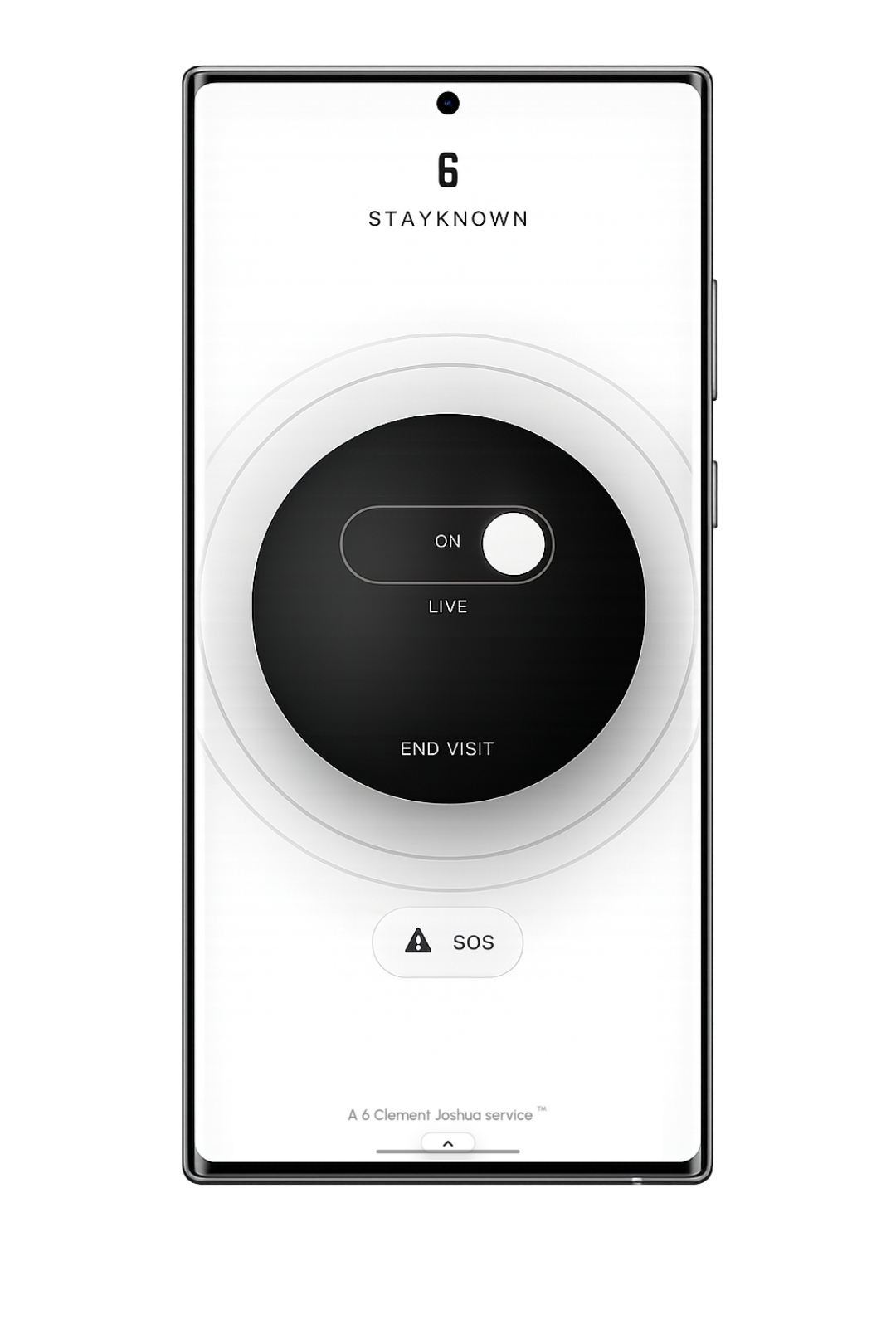
SOS ready, not active
Reference state
SOS ready, not active

The idle state should tell users SOS is available without making them think escalation is already running. It stays calm, readable, and ready.
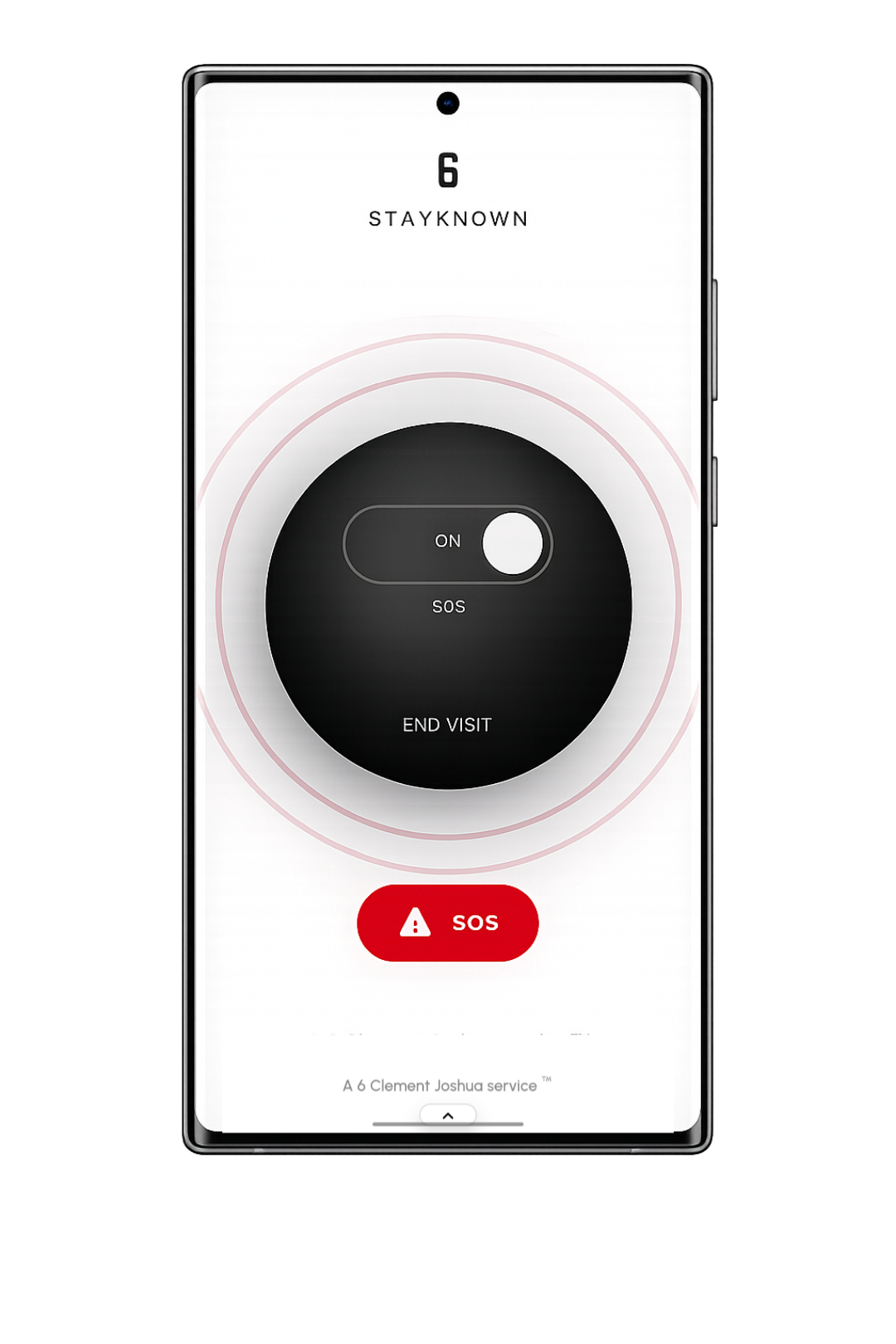
SOS activated
Main state
SOS activated

The active state should immediately communicate urgency. It should feel serious, direct, and unmistakable without becoming visually messy.

What changes when SOS activates
SOS should create a clear transition:
• the user sees a stronger emergency state
• trusted contacts receive urgent context
• the app prioritizes clarity over decoration
• ending the state can route toward Verified Stop
This page is about that transition, not the normal Visit lifecycle.
Recipient clarity
A trusted contact should quickly understand the difference between a normal safety update and a serious SOS event.
Who: the account owner or protected user
What: SOS was activated
Where: latest available location context
When: readable event timing
Why SOS needs restraint
Emergency UI can fail if it becomes too dramatic, too crowded, or too hard to read. StayKnown’s SOS state should feel premium but disciplined.
The design should make the user feel guided, not overwhelmed.
Trust signals around SOS
SOS becomes stronger when it is supported by recognition and context:
• approved emergency contacts
• Safety Gallery identity cues
• profile name and trusted relationship context
• readable session timing and latest location status
Activation should be intentional
SOS should not feel like a hidden shortcut or accidental background behavior. It should be a clear user action with a clear outcome.
The user needs to know: “SOS is now active, and trusted people may be notified.”
After activation
After SOS activates, the app should continue explaining what is happening in calm language:
• protection is active
• trusted contacts may receive updates
• location reliability depends on device settings
• the user can follow the correct end-SOS flow later
Law-abiding safety language
SOS is a personal safety escalation feature. It should not be used to harass, threaten, falsely alarm, stalk, coerce, or create fake emergencies.
In immediate danger, users should contact local emergency services directly.
Investor value
SOS gives StayKnown a premium emergency posture beyond casual messaging or map sharing. It shows the product can support a full safety stack: readiness, escalation, trusted contact context, recognition, and verified ending.
That makes SOS a serious subscription anchor for Pro and ProMax.
Related learn pages
SOS stays clearer when nearby topics have their own pages.

Instead of repeating every safety feature here, this page focuses on the meaning and presentation of SOS. The other pages explain the surrounding mechanics in more detail.