
01
01
A member suggests someone they already know
The proposed person must come from an approved StayKnown relationship belonging to the member making the suggestion.
StayKnown combines approved-contact conversations, protected entry, translation-aware messaging, voice and media, and Trusted Circle group communication without turning membership into hidden access.
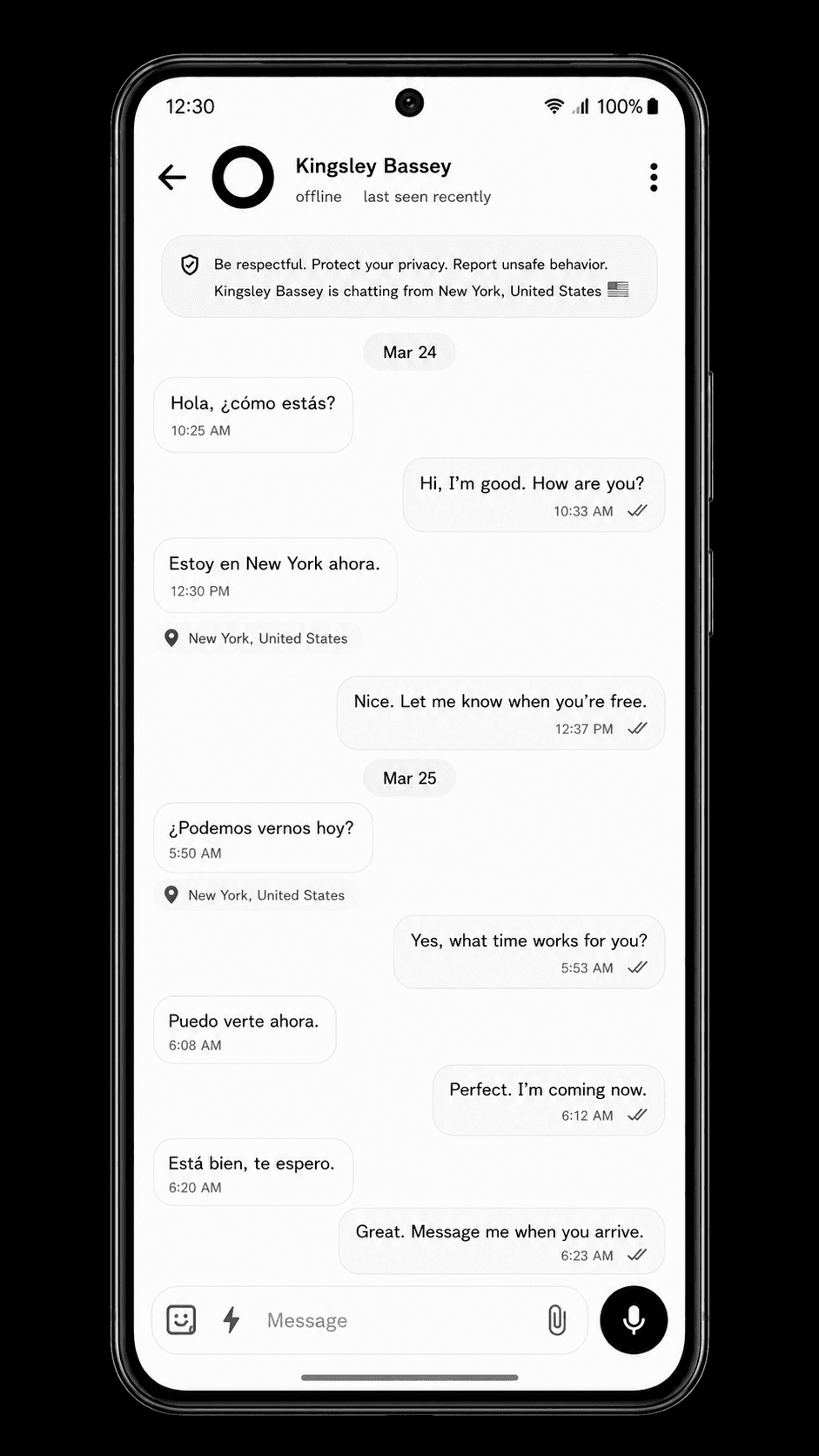
Names, avatars, verification context, approved-contact status, and account protection help people recognise the conversation before they depend on it.
Opening Chat does not create hidden safety access or a new contact relationship.
Switch between direct Chat, Trusted Circles, expressive communication, and the safety boundary that keeps communication helpful without overstating what the app can do.
StayKnown connects direct Chat to approved people, visible identity context, protected entry, delivery states, replies, reactions, translation-aware messages, and deliberate safety sharing.
StayKnown avoids the unsafe pattern where one member can expose everyone else to a stranger with a single tap. The invitation moves only after the required Circle-specific reviews are complete.
The proposed person must come from an approved StayKnown relationship belonging to the member making the suggestion.
The Lead decides whether the proposal may move forward. A suggestion does not instantly add anyone.
Members see only the identity and relationship context needed to make a Circle-specific decision—not private phone numbers, email addresses, exact location, or direct-chat history.
The candidate invitation is sent only after the required existing-member consent is complete.
The candidate reviews the Circle, policies, members, rules, and safety notice before entering. Access begins only after acceptance.
A decline does not require a public reason. The Circle receives a neutral status update, and the same Circle cannot immediately pressure the person with repeated invitations.
The Circle Lead remains responsible for the Circle, Stewards help only with assigned tasks, and Members keep the boundaries they accepted.
The person who begins the founding direct conversation becomes the Circle Lead when the Circle is created. The Lead reviews invitations, manages rules and roles, removes members, and can close or transfer the Circle.
A Steward can help with only the responsibilities the Lead grants, such as updating the description or managing pins. Becoming a Steward does not give every Lead permission.
A Member joins only after the required Circle consent and invitation steps. Membership does not automatically create direct Chat, emergency-contact, SOS-contact, or location access.
The safest communication system explains what does not happen. These boundaries keep a Trusted Circle from silently becoming a surveillance, contact, or private-message shortcut.
Direct Chat, Trusted Circle access, member capacity, invitation eligibility, and advanced controls can vary by plan and account eligibility. Open StayKnown to see your current options.
These answers explain who can start direct Chat, how Trusted Circle consent works, who sees selected messages, how location is shared, how histories stay separate, and what StayKnown does not replace.
Direct Chat is tied to an authorised StayKnown relationship. Opening a profile or searching for someone does not by itself grant private Chat or safety access.
No. StayKnown creates a separate Trusted Circle conversation. Earlier direct messages, attachments, locations, replies, reactions, pins, and safety cards are not copied into the Circle.
No. A member may suggest an approved contact, but the Lead review, required existing-member consent, and the candidate’s independent acceptance must be completed first.
Yes. The sender may choose specific members. The sender and Circle Lead remain included, and StayKnown keeps the message, replies, reactions, attachments, receipts, and previews limited to the chosen audience.
No. Location remains a separate deliberate action. A person must choose Location and confirm the share; Circle membership alone does not request or expose location.
When the remaining people are the original approved founding pair, StayKnown can complete a short return flow and reopen their original direct conversation. Circle history stays separate and read-only. If they are not the founding approved pair, StayKnown does not silently create private Chat access.
Trusted Circle features are designed for eligible StayKnown Pro and Pro Max accounts. The StayKnown app shows the current availability, capacity, and controls for each account.
No. Chat can help trusted people communicate and understand safety context, but it does not guarantee professional monitoring, emergency dispatch, or rescue. Contact the appropriate local emergency service when urgent help is required.
Download StayKnown to explore the communication features available to your account. StayKnown does not replace local emergency services or guarantee professional emergency response.